Quiz nights can be loads of fun, but even tiny mistakes sometimes turn an exciting game into a headache. Whether you’re hosting for friends or joining an online challenge, knowing what might go wrong really helps everyone have a better time.
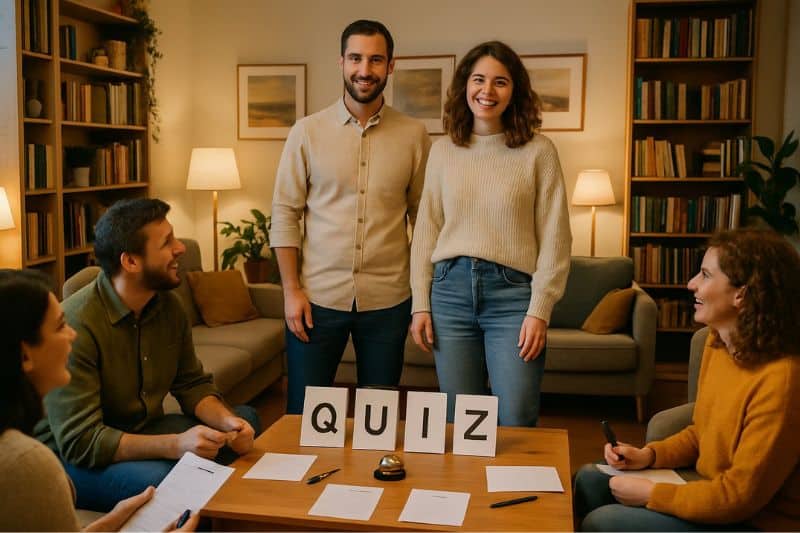
The most common quiz mistakes? Confusing questions, unclear rules, and technical problems that break the flow. These issues annoy both hosts trying to make things fun and players hoping for a good challenge. Even small slip-ups can mess up a quiz and leave people disappointed.
With just a few tweaks—writing clearer questions, dodging tech glitches—you can turn a so-so quiz into something folks actually look forward to. Understanding these pitfalls sparks everyone’s competitive spirit and keeps things fair (and enjoyable).
Key Takeaways
- Clear questions and fair rules make quizzes better for everyone
- Tech issues and bad design can ruin a quiz fast
- Knowing common mistakes helps both hosts and players
Understanding Quiz Mistakes: Why They Matter
Quiz mistakes don’t just spoil the moment—they can chase people away for good. Once trust fades, folks may not come back for the next round.
Impact on Player Enjoyment
Poor quiz design kills the fun that keeps players coming back. If questions are unclear or the answers seem off, you end up frustrated instead of challenged.
Ambiguous wording makes you second-guess yourself. Sometimes you know the answer but pick wrong because the question was just too muddled.
Technical issues during online quizzes? Instant annoyance:
- Buttons that refuse to work
- Timers that glitch
- Answer choices vanishing
- Scoring errors
When common quiz mistakes happen over and over, you lose the motivation to play. It starts to feel like work, not play.
Questions that are too easy bore you, but ones that are impossible make you feel dumb. That balance is everything when it comes to recommending a quiz to friends.
Effects on Quiz Credibility
Trust vanishes if quizzes have factual errors or outdated info. You start doubting every answer, even when it’s correct.
Bad spelling and grammar make a quiz feel unprofessional. Those details matter more than most hosts realise.
Credibility takes a hit when quizzes show:
- Wrong historical dates
- Outdated celebrity facts
- Mistakes about geography
- Biased or unfair questions
Spot a few errors and you’ll probably assume the quiz creator didn’t bother to check their facts. That makes you less likely to trust anything else they make.
Social media makes this worse. People share screenshots of obvious mistakes, warning others to skip bad quizzes.
Role in Online Quiz Experiences
Digital platforms magnify quiz problems. Tech issues and content mistakes combine, so both need to work smoothly together.
Slow loading or missing images? That’s enough for many people to quit the quiz right away.
Online quiz mistakes leave lasting bad impressions. Unlike in-person quizzes, there’s usually no one to explain or fix things on the spot.
Common online issues:
- Mobile compatibility problems
- Confusing navigation
- Results that don’t show up
- Broken sharing features
Poor interface design makes even simple tasks hard. You shouldn’t need a manual just to submit an answer or go to the next question.
Online quizzes compete with endless other ways to have fun. Even tiny mistakes can send people looking for something else.
Common Pitfalls for Quiz Hosts
Quiz hosts often struggle to give clear guidance and write questions that work for everyone. The biggest headaches come from unclear instructions, overcomplicated questions, and forgetting that participants have different needs.
Unclear Instructions and Rules
Vague directions leave people confused and annoyed. If you just say “answer quickly” but don’t set a timer, no one knows what to expect.
Your rules need to be crystal clear right from the start. Tell folks exactly how much time they get, whether they can change answers, and how scoring works.
Common quizzing mistakes often happen because hosts assume everyone gets the format. Don’t assume—spell it out.
Write your instructions down before you start. It keeps you consistent. For online quizzes, put the rules on screen where everyone can see them.
Use simple words. Instead of “submissions are final upon confirmation,” just say “you can’t change your answer after clicking submit.”
Overly Complicated Question Formats
Complex question types slow things down and confuse people. Skip the ones that need multiple steps or weird answer formats.
Multi-part questions are especially tricky. If you ask “Name the author AND the year this book was published,” you’re really asking two questions at once. That just makes scoring a pain and frustrates players.
Stick to straightforward formats—multiple choice, true/false, or simple fill-in-the-blank. They work for everyone and keep things moving.
Effective quiz design means clarity over cleverness. People want to test their knowledge, not solve riddles.
Test your questions on someone else first. If they ask for clarification, it’s time to simplify.
Neglecting Accessibility Needs
Font size matters way more than you’d think. Small print can shut out anyone struggling with their eyesight.
Go for large, clear fonts and high contrast colors. Black on white is best. Ditch fancy fonts—they look nice but are hard to read.
Audio matters too. Speak clearly, don’t mumble, and don’t rush when reading questions aloud.
For online quizzes, make sure your platform works with screen readers and lets people use just their keyboard if needed.
Offer alternative formats if you can. Some folks need written questions, others need audio. Giving both options makes your quiz more welcoming.
Think about lighting and seating if you’re doing this in person. Bad lighting makes reading tough for a lot of people.
Mistakes Players Should Watch Out For
Players often lose points for reasons that have nothing to do with what they know. The biggest problems? Rushing, misreading questions, or totally ignoring time limits.
Rushing Through Questions
Speeding through questions is probably the quickest way to lose points you should have gotten. If you rush, your brain doesn’t really process what’s being asked.
Read every word. Writers love sneaking in little details that flip the meaning. “British prime ministers in the 1980s” isn’t “since the 1980s.”
Pause for a moment after reading each question. Sometimes the right answer pops up if you just give your brain a second.
Common rushing mistakes:
- Picking the first answer that looks right
- Missing words like “not,” “except,” or “never”
- Mixing up similar names or dates
- Skipping over qualifiers
Most quiz platforms give you more time than you think. Use it.
Misreading Questions
Careful reading is often the difference between right and wrong, even when you know your stuff. Your eyes can trick you, especially on longer quizzes.
Watch for these tricky types:
- Questions asking what something is not
- Date ranges vs. specific years
- “All of the following except” formats
- Double negatives
Read confusing questions twice. First glance gives you the gist, second pass catches the details.
Pay attention to bolded or italicized words. Quiz writers use them to flag what you can’t miss.
Some common quizzing mistakes happen when players assume they know what’s being asked before finishing the question. Don’t let your brain fill in the blanks.
Ignoring Time Limits
Managing your time is a balancing act. You want to think carefully, but you don’t want to run out of time either.
Check the total time and number of questions first. That gives you a rough idea—20 questions in 10 minutes? About 30 seconds per question.
If you’re stuck, make your best guess and move on. You can usually come back if there’s time left.
Time-saving tips:
- Answer the easy ones first
- Mark tough questions to revisit
- Check the clock every few questions
- Don’t overthink it
Some quizzes give more time for certain question types—pictures might get 45 seconds, text gets 30. Watch for those differences.
Leaving blanks guarantees zero points. Guessing at least gives you a shot.
Writing Better Quiz Questions: What to Avoid
Badly written questions can make a quiz feel unfair or just plain confusing. The worst mistakes? Unclear language, cramming too much into one question, and accidentally excluding some players.
Vague or Ambiguous Wording
Clear, straightforward language is the difference between a fair question and one that leaves you scratching your head. Writing good quiz questions means choosing every word carefully.
Common wording problems:
- Words like “often,” “usually,” or “sometimes” with no definition
- Questions with more than one possible right answer
- Double negatives that twist the meaning
Take this mess of a question: “Which British monarch didn’t rarely visit Scotland?” The double negative is just… yikes.
Much better: “Which British monarch visited Scotland most often during the 18th century?” Direct, clear, and there’s only one right answer.
Warning signs to watch for:
- Questions you have to read over and over
- Answer choices that all seem correct
- Wording that could mean different things
Overloading with Unnecessary Details
Cramming too much information into a single question just overwhelms players. It tests reading skills more than actual knowledge, which feels a bit unfair, honestly.
Good quiz questions stick to one key point instead of piling on multiple concepts.
Here’s an overloaded question: “In 1969, when Neil Armstrong became the first person to walk on the moon during the Apollo 11 mission that launched from Kennedy Space Centre in Florida on 16th July, what were his famous first words?”
The essential question is simply: “What were Neil Armstrong’s famous first words on the moon?”
Signs you’ve included too much detail:
- Questions longer than 25-30 words
- Multiple dates, names, or locations in one question
- Background information that doesn’t affect the answer
Keep questions focused. One concept, one question.
Cultural or Generational Bias
Questions that assume specific cultural knowledge or generational experiences can shut out players. What seems like basic trivia to you might be a mystery to someone else.
Examples of biased questions:
- References to regional foods, customs, or slang
- Assumptions about shared childhood experiences
- Questions requiring knowledge of specific social media platforms
- Cultural references from only one country or region
Instead of asking “What biscuit do you dunk in your tea?” (very British), try “What Italian dessert is made with coffee-soaked sponge fingers?” That one tests general knowledge instead of cultural habits.
Consider these alternatives:
- Replace local references with universal ones
- Avoid generational assumptions about technology or entertainment
- Include diverse examples from different cultures when appropriate
- Test the question with people from different backgrounds
Design and Technical Blunders in Online Quizzes
Technical problems can turn a fun quiz into a headache fast. Poor mobile design, broken links, and untested features drive players away before they even finish.
Poor Mobile Compatibility
Your mobile phone is probably where you’ll take most online quizzes, yet many creators forget this crucial fact. Mobile quiz design mistakes can really mess up your experience and make you quit halfway through.
Common mobile problems include:
- Tiny buttons that are impossible to tap accurately
- Text that’s too small to read without zooming
- Images that don’t fit your screen properly
- Slow loading times on mobile networks
You might tap the wrong answer because the buttons are too close together. That’s just frustrating and kills the fun.
Quiz creators often design on desktop computers first, then assume everything will work fine on phones. This approach usually leads to cramped layouts and awkward navigation that make you work harder than you should.
Broken Navigation or Links
Nothing kills quiz momentum like a button that doesn’t work. Broken links and faulty navigation turn a smooth experience into a digital obstacle course.
You might hit “Next” and nothing happens, leaving you stuck. Some quizzes have progress bars that don’t update, so you never know how close you are to the end.
Watch out for these navigation problems:
- Submit buttons that don’t respond to clicks
- Back buttons that erase your previous answers
- Links to results pages that lead nowhere
- Timer functions that stop working mid-quiz
These technical failures usually happen because quiz creators skip proper testing. You shouldn’t have to refresh your browser or restart a quiz because of sloppy programming.
Social sharing buttons break pretty often, too. That means you can’t even brag about your results to your friends.
Lack of Testing Across Devices
Your tablet, phone, and computer all handle websites differently. Still, many quiz creators only test on one device type.
The same quiz might work perfectly on your laptop but completely fall apart on your iPad. Text formatting often shifts between devices, making some questions unreadable or confusing.
Device-specific issues you might face:
- Different browsers showing different layouts
- Touch controls that don’t work on tablets
- Audio or video elements that won’t play
- Fonts that appear too large or too small
Common quizzing mistakes often come from not testing on enough platforms or screen sizes.
Your internet connection speed also changes how quizzes load and work. If creators only test on fast WiFi, they miss problems that show up with slower mobile data, leaving you waiting for images and questions to load.
Enhancing the Quiz Experience: Tips for Hosts and Players
Memorable quiz moments don’t just happen—they need thoughtful feedback, genuine connection, and spaces where everyone feels welcome. The best hosts know that clear communication and a warm, inclusive vibe keep people coming back for more.
Offering Clear Feedback and Results
You’ll transform the quiz by giving immediate, helpful feedback after each question. Share the correct answer and add a quick explanation or fun fact to make it stick.
For Hosts:
- Read answers clearly and repeat them twice
- Include fun facts or context about correct answers
- Display results visually when possible
- Acknowledge close answers or creative thinking
For Players:
- Listen actively to explanations
- Ask questions if answers aren’t clear
- Note down interesting facts you pick up
- Celebrate your correct answers, but don’t go overboard
Effective quizzing practices show that feedback helps people learn and stay engaged. When folks leave knowing more than when they arrived, that’s a win.
Scorecards or summary sheets at the end are a nice touch. They give participants something to remember and nudge them to try again next time.
Encouraging Social Engagement
The best quizzes happen when people connect naturally. Give space for friendly interaction—don’t force awkward ice-breakers or make participation mandatory.
Simple Engagement Strategies:
- Let teams chat briefly on certain questions
- Use local references that spark conversation
- Encourage applause for good efforts
- Set up comfortable seating
Successful quiz hosting depends a lot on atmosphere. You want people chatting, laughing, and cheering each other on.
Mix individual and team questions so everyone gets a chance to shine. Some people love solo challenges, while others do better with group support.
Themed nights can bring people together around shared interests. Decades, local history, or seasonal topics give everyone something to talk about.
Keeping the Fun Alive and Inclusive
If you want everyone to have a good time, you’ve got to make sure people feel welcome, no matter their background or how much they know. Balanced question difficulty helps keep everyone interested from start to finish.
Inclusive Practices:
- Mix easy, medium, and challenging questions
- Include diverse topics and perspectives
- Offer multiple ways to participate
- Celebrate effort alongside correct answers
- Provide hints for particularly tricky questions
Honestly, the best quiz nights happen when folks feel relaxed enough to just have a go. Skip those super obscure questions that only a handful of experts would know.
Try adding special categories so different people get their moment. Maybe toss in questions about cooking, gardening, classic movies, or even a bit of local history with the usual trivia fare.